Settings
 Fast Delivery
 Free Shipping
 Incoterms
 Payment Types


 Marketplace Product

Mfr Part # VERYVERILOG
VERYVERILOG MINI FPGA KIT
Microchip Technology


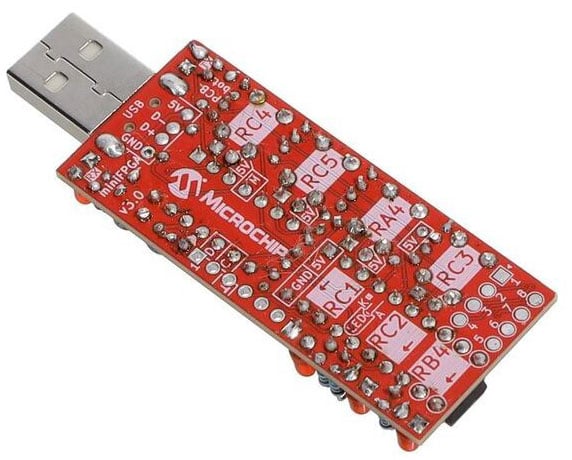
Recently, I was asked to complete a test assembly of the VeryVerilog kit from Microchip. After receiving the kit, I navigated to the VeryVerilog GitHub page and found the assembly guide. The assembly guide was very well put together and easy to follow on how to assemble the kit. Make sure to either download the assembly guide or click the "More pages" button at the bottom to ensure the full guide is visible. It took me a few minutes to realize I was only seeing the first 5 pages of the full 13-page guide, so I thought this might be a helpful tip if you are assembling it.
Once I had the kit assembled, I followed the GitHub page, which directed me over to the veryVerilog web page for loading new firmware to the board. The link for that website is WebICSP v1.6. Once on that page, I plugged in the veryVerilog board, and it immediately started flashing the LEDs on the side of the board.
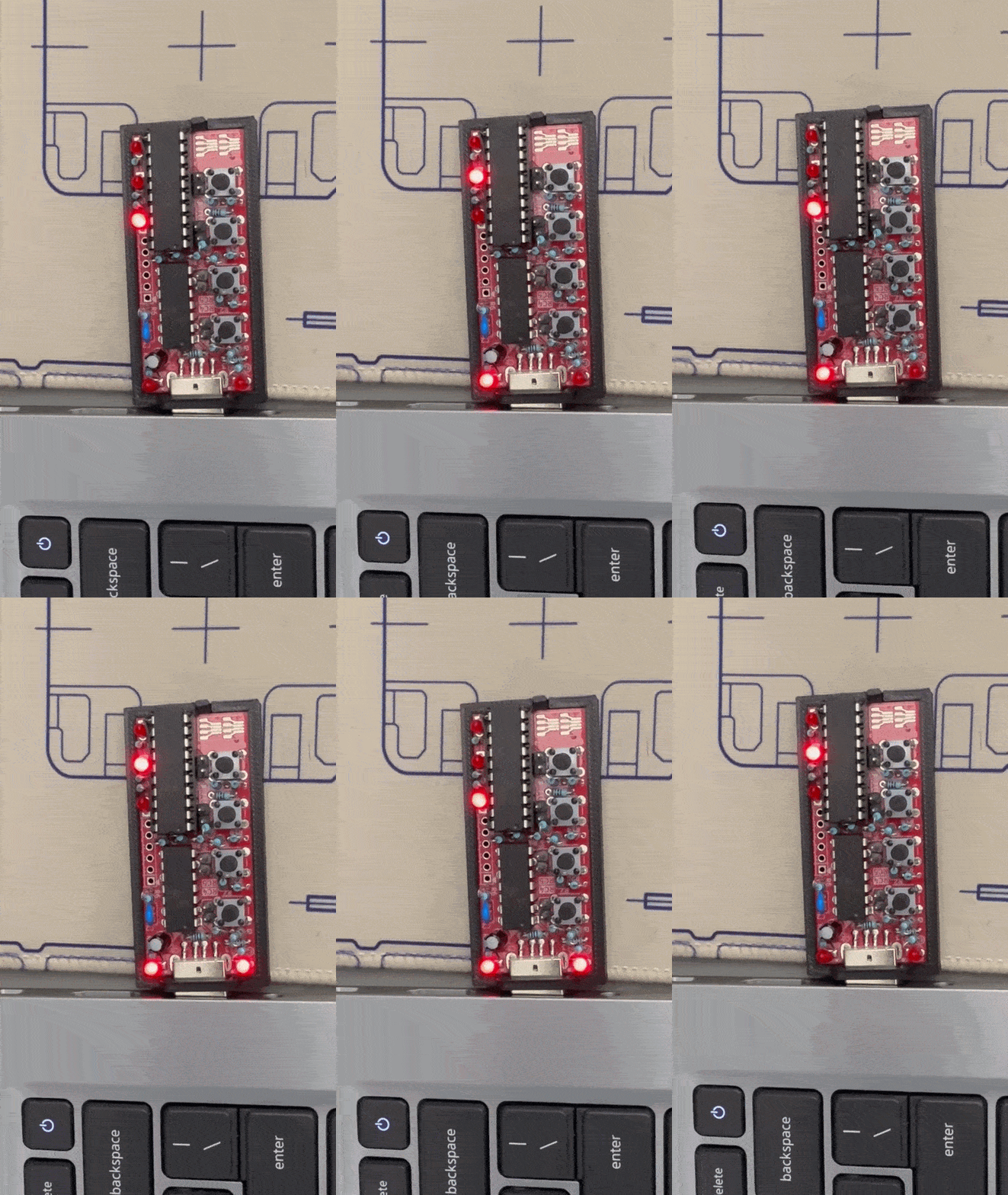
It took me a little while to figure out what the demo code was doing. The first thing I noticed was that the LEDs are counting in order and appear to be controlled by a CLB(Configurable Logic Block) counter, which cycles each LED on and off in order. When the button closest to the USB is pressed, all 3 of the LEDs light. This is an OR gate where it either counts through the LEDs OR turns on all LEDs if the first button is pressed. When the second button is pressed, it is directly connected to the first LED and stops the counting LED process. Once released, it starts counting again from the second LED going and continuing on. When the third button is pressed, it appears to have two counters running simultaneously and slightly offset so that the LEDs step ahead one after the other. When the fourth button is pressed, the program turns on all of the LEDs partially. This is using PWM to turn them on only slightly. It is also possible to combine a couple of the buttons as well. If buttons 2 and 4 are pressed together, the first LED turns on brightly, and the other two are dimly lit, combining both functions of each of the buttons. If buttons 1 and 3 are pressed, all of the LEDs are turned off. The original demo that comes with this board is sort of like a Swiss Army Knife – It has many tools and packs them all into one neat package.
After evaluating the program and figuring out what it did, I noticed that there was another button on the page for programming the board called Identify programmer. I pressed that button, and the two LEDs on each side of the USB started to cycle back and forth.
Now that I had figured out what the original program was doing, I decided to try my hand to see if I could develop some code on my own. Since I wasn’t really familiar with CLBs and how the code for the original demo was set up, I decided to try ClaudeAI to see if it could create some code for the device. I started by giving it the link to the GitHub project for this board. After answering the first few clarifying questions it asked, I was a bit surprised by the output it gave. It provided me with a veryVerilog getting started guide, an AND gate example tutorial, and a CLB quick reference guide. If you would like to take a look at these files, I’ve attached them here. It also provided an MPLab IPE troubleshooting guide; however, that was because I accidentally stated that I was using that software instead of the MPLab X software. After going through all the information that it gave me, I felt I had a better understanding of what I was working towards, so I decided to try my hand at building a program for it. Working with Claude as well as applying my own knowledge, I eventually was able to get a new test code working for the kit.
I’ve included this .hex file for your use if you would just like to make sure the board is programming correctly.
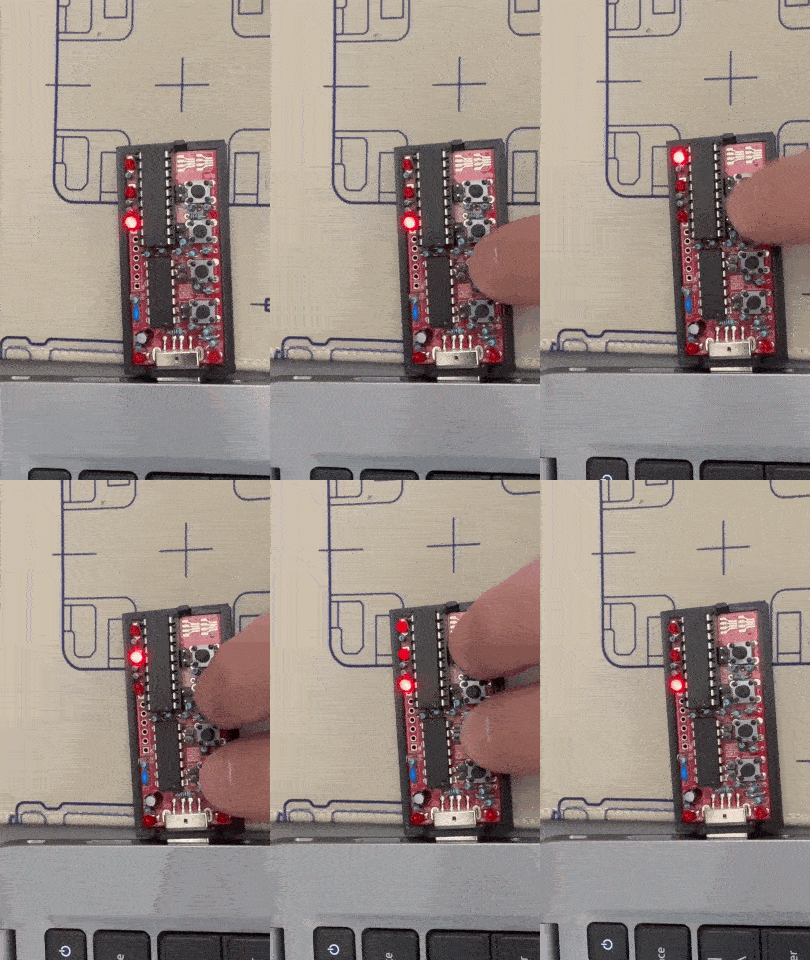
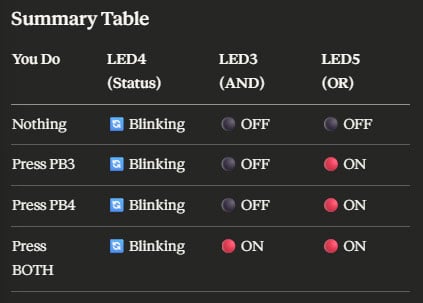
When the code is loaded into the device, all 3 LEDs will be doing something. The first and 3rd LED will be fully on, and the middle LED will be flashing. I only set the program to use two buttons, the 3rd and 4th from the USB port. By pressing either the 3rd or 4th button, the first LED will turn off, similar to an OR gate. When both the 3rd and 4th buttons are pressed, both the 1st and 3rd LEDs will turn off, similar to how an AND gate works.
Here is a small table that explains how it works as well
While it wasn’t a very complex program to get working, it pushed me a bit out of my comfort zone to try working on a new device I hadn’t worked with before.
While I had been working with this device, I also noticed that the pins protruded slightly from the bottom of the board, and I was a bit concerned that there was a possibility that the board could short between pins if something touched it. I decided to remedy this by designing a bumper that slides over the USB plug and snaps onto the bottom of the board itself.
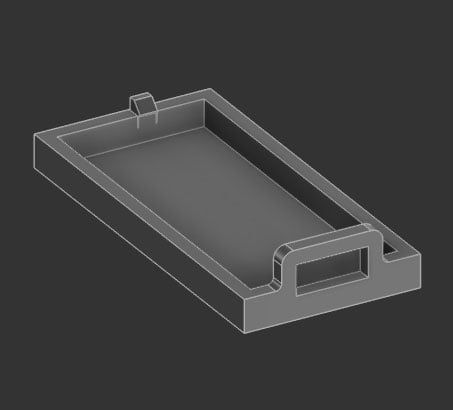
Here is a link to that file if you would like to print your own: Protective Bumper / Bottom Cover for the veryVerilog Kit by DigiKey | Download free STL model | Printables.com
The veryVerilog kit is an excellent way to try out using CLBs. With the web programming interface, it is very easy to evaluate new software changes, and a great way to learn more about CLBs and Logic. While my test was not a very deep dive into what this board can do, I hope to hear from you with what you’ve developed using it. Leave a comment below with what you’re working on, and if you have any questions you may run into.