Settings
 Fast Delivery
 Free Shipping
 Incoterms
 Payment Types


 Marketplace Product

What You Must Know About Common 3D Model File Types
2026-03-04 | By Maker.io Staff
It’s difficult to overlook the abundance of file types when creating parts for projects. You might wonder why all the file types exist, despite seemingly storing the same information. This article discusses the four most common 3D model file types used in DIY applications and compares their features.
Why Different File Types Exist
At first glance, it seems that all formats within a category, like images or videos, store the same data. After all, we can rarely tell a PNG from a JPEG file merely by looking at it. However, everyone who’s done image editing before knows that, despite representing the same visual information, the files work differently under the hood. JPEG files are generally more compressed, resulting in smaller files, while PNGs retain extra data, such as transparency information.
The same principle applies to all other applications, including 3D models and data for engineering and manufacturing purposes. File types generally differ in the methods they use to store the object they represent (encoding) and how much data they keep or discard (compression).
How Different Formats Represent Objects
Some encoding mechanisms, such as mathematical formulas, are lossless representations that allow programs to fully reconstruct the original objects. Other formats break down the original data and store it differently. For example, a long list of coordinates, each representing the position of a vertex in a 3D model.
Additionally, some file types retain more of the original information in the form of metadata, which helps restore the original objects more accurately. However, the more additional data is stored, the larger the resulting files. Examples of metadata in 3D file types include units, surface colors, and textures.
Compression is a technique that discards data that’s not crucial to restoring the objects in order to reduce the file size. However, it’s vital to note that data is altered or lost in many compression techniques, and the original can typically no longer be fully restored. Think of a 3D cube, for example. Instead of storing the coordinates of each point along each line of the cube, a program can reduce the file size by keeping only one of the corners and the distances of the other corners from the origin.
Generally speaking, more aggressive compression results in smaller files but reduced accuracy when restoring the object.
 This image contrasts lossless and lossy compression techniques. In lossy compression, some of the original information may be lost or changed after decompression.
Comparing Common 3D Object File Types
STEP files are commonly used in precise engineering applications and CAD software. They store object information using mathematical descriptions, resulting in a practically lossless representation of the data. Thus, the saved models generally have the same tolerances and accuracy as the original, which makes this file type ideal for precise machining, laser cutting, and sharing data with other engineers. However, it’s not ideal for most hobbyists, since it requires CAD software and is typically not used for 3D printing, as it’s complicated to process without prior conversion.
In contrast, STL files are among the most common for DIY applications, and practically all 3D modeling software and slicers support them. Compared to STEP files, STL does not use a lossless representation of the original model. Instead, the model is broken down into triangles, and the coordinates of each vertex are stored in a file. This downsampling process makes the data easier to process, but also turns smooth curves into jagged approximations of the original.
 This image illustrates how an original object can be approximated using less data. The more points are added, the better the approximation becomes. Using fewer sample points reduces the file size. With enough points, the approximation can appear indistinguishable from the original to the naked eye. However, the original can usually not be fully restored.
In addition to downsampling, STL files also omit vital information, such as units and scales, commonly resulting in imprecise tolerances and scale differences when importing files into different programs. STL files also just contain mesh data, so small inaccuracies in the original model can show up as gaps or other issues when exporting it to STL.
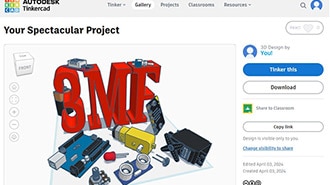
3MF files alleviate this problem by storing additional data, such as units and scales, that help slicers restore the original objects. Some vendors, like Prusa, already treat 3MF as the more modern replacement to STL files, since custom extensions allow them to store an entire project in a single, shareable file that includes data like infill settings and support structure information.
OBJ files are commonly used in 3D animation and game design, since they store texture and surface information alongside the model, making them ideal for creative applications. However, the information is often not self-contained within a single file, and the supplementary files are easily lost when sharing OBJ models. Still, you can regularly encounter OBJ files when looking for assets online and manufacturing creative pieces, such as figurines or decorative items.
Summary
Even though all 3D file types seem to store the same information, each format works differently under the hood. Just like image formats handle data in their own ways, 3D file types vary in how they represent shapes, how much information they keep, and how much compression they apply to save space.
Some formats, like STEP, store objects using precise mathematical descriptions, making them well suited for accurate engineering work. Other formats, such as STL, reduce models to a list of small triangles or coordinates, making them easier to process in hobby and DIY programs.
The way a format stores information affects how accurately the original file can be restored and how large the resulting files are. Some formats, like OBJ and 3MF, include additional details like units, colors, or textures, resulting in more accurately restored objects but also larger files.